How to Redeem Codes in Reinald Toilet Roleplay
Find the redemption menu, enter promo strings safely, and know where to verify new codes on this wiki.
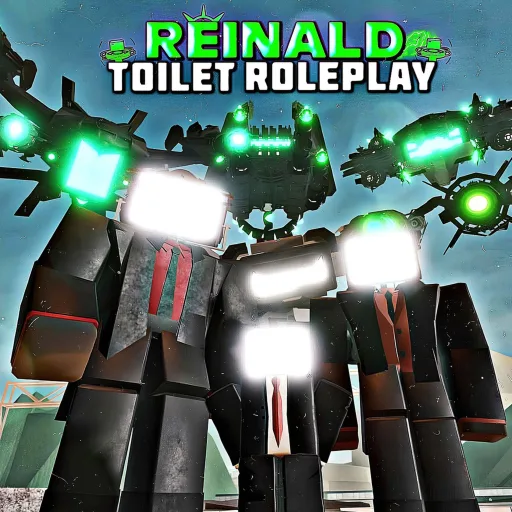
This guide explains how to redeem promo codes in Reinald Toilet Roleplay when SRV Official Group releases them. At the time of writing, no active codes are confirmed, but redemption steps stay the same across most Roblox morph roleplay experiences. Use this page before pasting random strings from social media — verified codes always appear on the Codes Hub first.
Reinald Toilet Roleplay is a free 40-player morph RP experience released February 15, 2025. Codes are optional; most unlocks come from the morph menu, gamepasses, and free lines like Tabletmen. Still, a single working promo can save Robux or grant a limited morph trial, so knowing the redemption flow matters.
Before you redeem
Complete these checks to avoid wasted effort:
- Confirm the code on the Codes Hub or an official SRV announcement linked from Official Links
- Launch the live experience — private test places may not accept production codes
- Use the account you want rewarded; codes rarely transfer between alt accounts
- Note expiry text if the developer posted a time limit
Never download external “code generators” or browser extensions promising free Robux. Those tools violate Roblox Terms of Use and commonly steal accounts.
Step-by-step redemption (PC)
- Open Roblox and join Reinald Toilet Roleplay
- Wait until your character loads on the current map (often Wasteland after recent updates)
- Look for a Codes, Promo, or Redeem button on screen — common placements include top bar UI, a shop kiosk near spawn, or a settings panel
- Click the button to open the text field
- Paste or type the code exactly as published (watch capitalization and hyphens)
- Press Redeem, Submit, or Enter
- Read the success or error message; rewards may appear in inventory, morph menu, or a popup
If no code button appears, the developers may not have enabled redemption yet even if a string leaked early. Wait for a Latest Update note or server restart.
Step-by-step redemption (mobile)
Mobile UI scales differently but the logic matches PC:
- Join the experience from the Roblox app
- Tap the menu or shop icon if the code button is hidden behind a hamburger panel
- Open the redemption field and paste carefully — mobile keyboards love adding trailing spaces
- Confirm and watch for a toast notification at the top of the screen
On smaller phones, rotate to landscape if buttons overlap the morph menu. See Controls for gesture bindings that stay out of the way while redeeming.
Step-by-step redemption (Xbox)
- Launch Roblox on Xbox and join the experience
- Navigate UI with the controller until you highlight the Codes or Shop prompt
- Use the on-screen keyboard to enter the string character by character
- Confirm redemption and check morph ownership in the menu documented in How to Morph
Xbox players should redeem before switching morphs mid-session; some RP games only refresh inventory on respawn.
Troubleshooting failed redemption
| Problem | Likely cause | What to try |
|---|---|---|
| ”Invalid code” | Typo, expired string, or fake code | Re-copy from the Codes Hub; check expiry |
| Button missing | Patch not fully deployed | Rejoin after update; read Patch Notes guide |
| Success but no reward | Delayed backend | Respawn or rejoin a new server |
| ”Already redeemed” | One-time per account limit | Code consumed; try on main account only |
Switch servers if one shard has stale UI. Public Roblox experiences run many server instances; occasionally one lags behind a deployment.
Where to find new codes on this wiki
When SRV Official Group drops a promo string, update your bookmarks in this order:
- Codes Hub — active table with reward and status columns
- Updates Hub — major patches often coincide with code campaigns
- Latest Update — quick summary of morph and feature changes
- Official Links — Roblox experience page and community channels
We do not invent codes for SEO. If the active table is empty, assume nothing is live.
Codes versus gamepasses and free morphs
Codes are temporary marketing tools. Permanent power or cosmetics usually require gamepasses such as Battery Titan or Microwave Titan bundles described on Best Gamepasses. Free roleplay options remain strong through Morph Roster entries — UTCM, UTSM, UTTVM, Carrier family units, toilets, and striders do not need promo strings.
Treat codes as bonus gifts, not progression requirements. If none are active, you still have a full RP toolkit via the Morphs Hub and Guides Hub.
Safety reminders
- Never share your Roblox password to “claim” a code on a third-party site
- Ignore DMs offering exclusive codes in exchange for trades
- Report phishing experiences that mimic Reinald Toilet Roleplay branding
- Read the Scripts Hub before running unauthorized executors — they risk permanent bans
Redeeming official in-game codes is safe when the string comes from verified sources. Everything else deserves skepticism.
Related pages
- Codes Hub — current active list (empty until verified promos return)
- Getting Started — new player onboarding without codes
- Gamepasses guide — Robux unlock path when no promos exist
- Morph Tier List — pick strong free mains while waiting for codes
Frequently Asked Questions
Quick answers for Reinald Toilet Roleplay players.
Is there a code box in Reinald Toilet Roleplay today?
The UI may appear only when developers enable promos. If no codes are active, the button might be hidden or unused until the next campaign.
Do codes work on mobile and Xbox?
Yes, when live. Redemption happens inside the experience on all platforms Roblox supports, using the same string.
Can I redeem the same code twice?
Almost never. Promo codes are one-time per account unless the developer explicitly states otherwise.
What if a YouTuber shows a code not on this wiki?
Wait for wiki confirmation. Creators sometimes showcase private test strings or outdated promos that no longer work.
Where should I look when SRV announces a new code?
Check the Codes Hub first, then Latest Update and Official Links for the exact string and expiry notes.